
Avoxkit · Extract audio · MP3 / M4A

Extract audio,
copy over re-encode.

Export the audio track from a video on its own: copy the original track without re-encoding for the fastest path, or convert to M4A / MP3 at a chosen bitrate. Single files or whole folders, output lands next to the source.

  • M4A / MP3 / original-track copy
  • Copy, no re-encode, fastest
  • Free · local
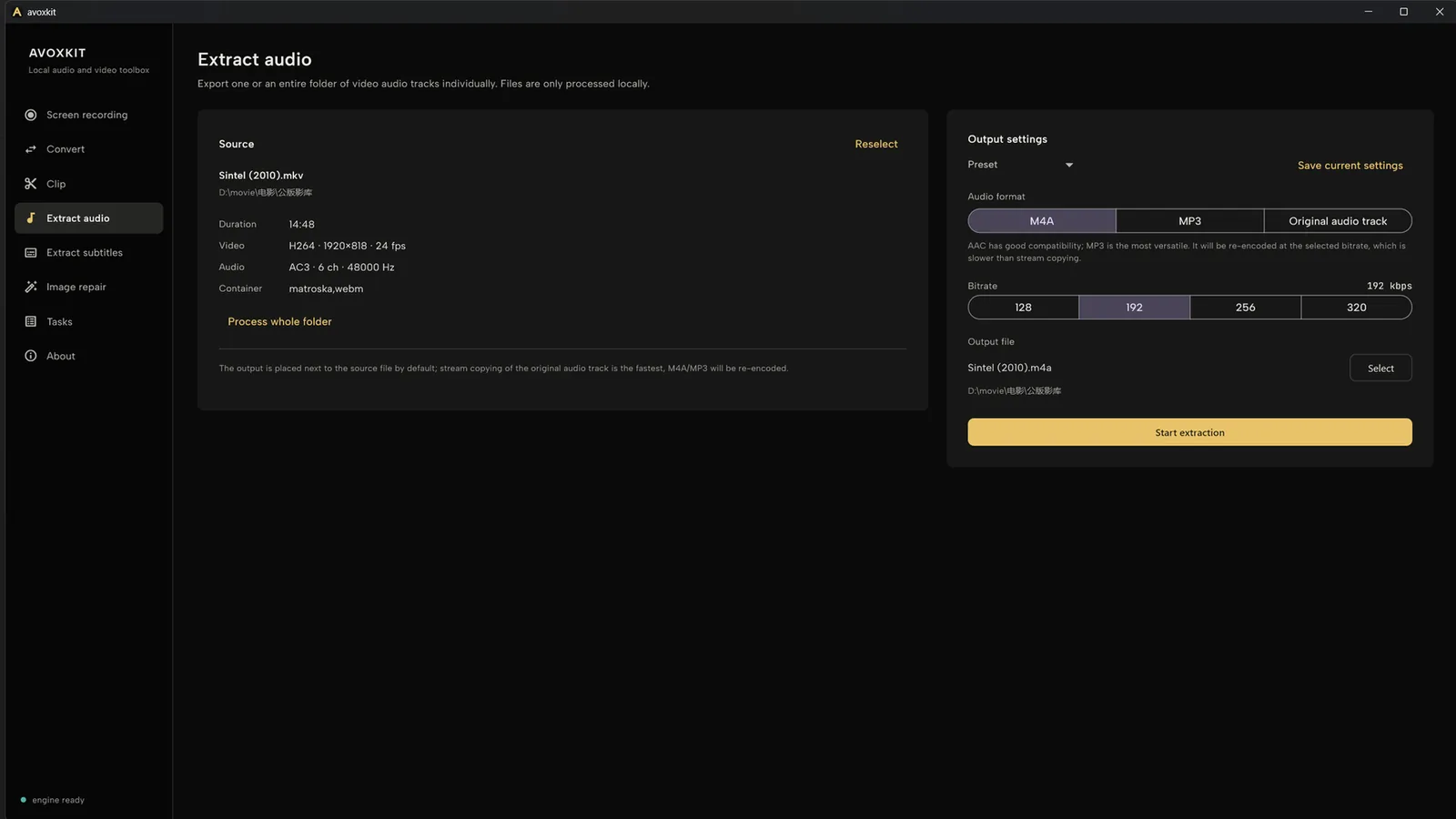
Avoxkit extract-audio page: source file on the left, audio format and bitrate settings on the right

How it picks

Copy first, encode only when needed

Extracting audio is not one road. The format you pick decides whether an encoder runs at all.

Original-track copy

The track moves into a new file untouched — no re-encoding, fastest path. The output container follows the source track: MP3 tracks become .mp3, AAC tracks .m4a, and DTS / EAC3-class tracks .mka. The detected source codec is shown in the UI.

Single files · batching, see limits below

Re-encode when needed

AAC inside M4A has broad compatibility; MP3 is the most universal. Re-encodes at the chosen bitrate — 128 / 192 / 256 / 320 kbps — and runs slower than copying.

Defaults to 192 kbps

Free

Extraction costs nothing, with no count limits and no watermark on output.

Local

Files are read and written on this machine, never uploaded.

Batch

Queue whole folders; output follows the file extension as M4A or MP3, and failed items retry in one click.

Limits

Edges, stated up front

Original-track copy cannot batch.Copying probes each file's container first; folder batches produce M4A or MP3 only.

Copying is not instant either.The file is still read and written in full; cloud drives and HDDs follow disk speed.

Re-encoding trades bitrate.Four steps from 128 to 320 kbps; pick original-track copy when you want no loss.

Only the audio track moves.Extraction never touches the picture or the duration; the source video is kept as is.

Get

Three steps

Current release 0.2.0 for Windows 64-bit and macOS (Apple Silicon), entirely free.

  1. Open a video file or a whole folder.
  2. Pick a format: original-track copy, or M4A / MP3 with a bitrate.
  3. Start; output lands next to the source.

Download from GitHub Releases, or see the Avoxkit home page.

Requirements

  • Windows 64-bit; macOS (Apple Silicon)
  • mkv, mp4, mov, avi, ts, flv, webm, wmv and other common containers
  • Extraction runs fully offline

Extraction and encoding are done by the open-source engine avox; the UI is built with Flutter. Avoxkit is AGPL open source on GitHub.

FAQ

Does extracting audio re-encode it?

It depends on the format. Original-track copy moves the track untouched into a new file, the fastest path; M4A and MP3 re-encode at the chosen bitrate (128–320 kbps).

M4A or MP3?

AAC inside M4A has broad compatibility; MP3 is the most universal. Pick MP3 for old devices, car stereos or web players; M4A covers the rest.

Does it batch?

Yes. Queue whole folders; output follows the extension as M4A or MP3. Original-track copy needs a per-file container probe, so it is single-file only for now.

Do files get uploaded?

No. Extraction happens on this machine, folder batches included; the app has no telemetry or auto-upload logic, and needs no account.