
Direct remux
Container-only changes with supported codecs move the video and audio streams into MP4 untouched: no encoding loss, speed essentially the disk's read/write speed.
H.264 / H.265 / AAC and other common combos
Avoxkit · Convert · MKV to MP4
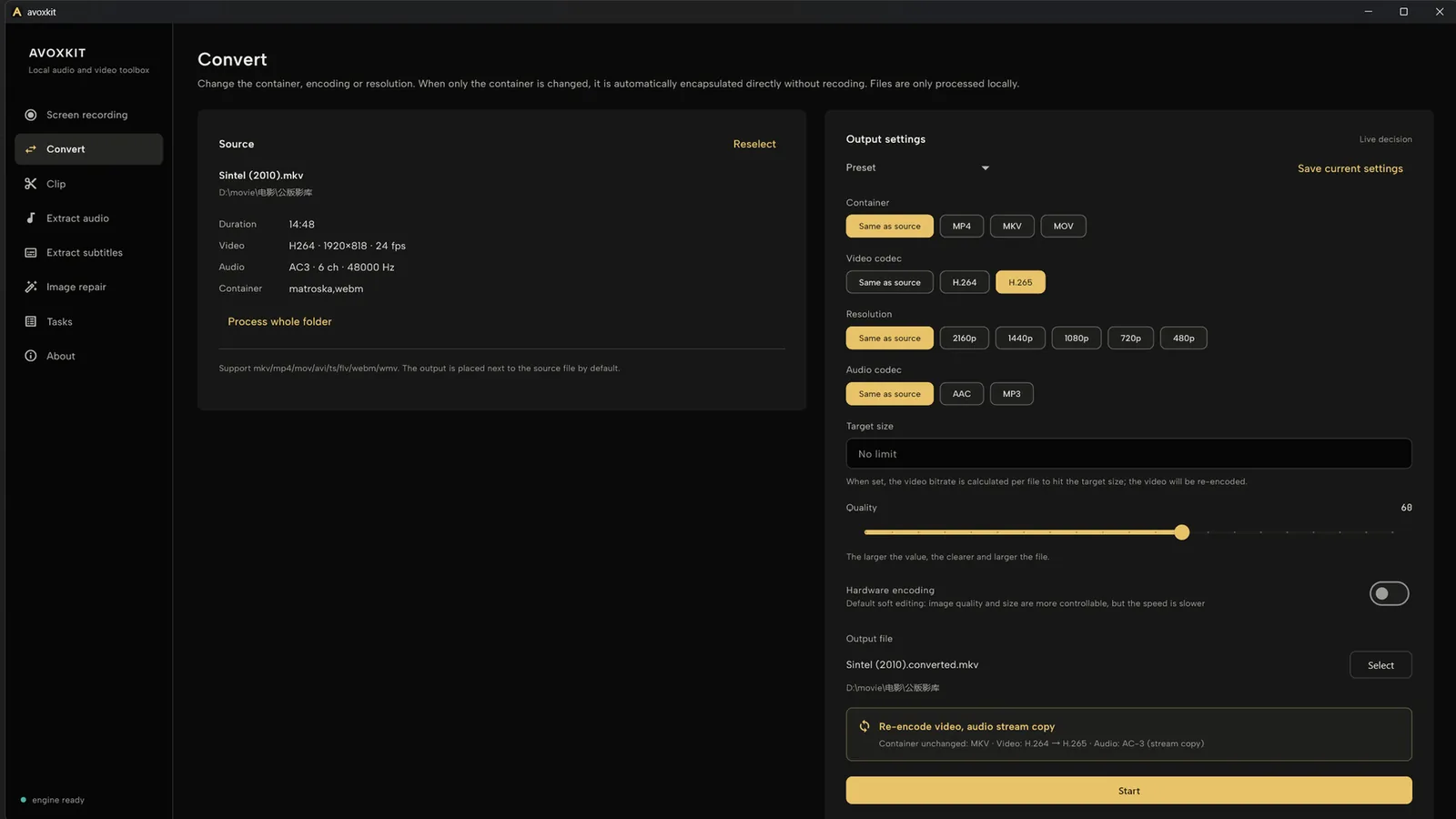
When only the container changes and MP4 supports the source codecs, Avoxkit remuxes instead of re-encoding: the picture is kept untouched and speed follows your disk. When MP4 can't carry the source, it re-encodes. Whole folders batch in one queue.
How it decides
Conversion is not one road. Avoxkit first checks whether the source codecs fit the target container.
Container-only changes with supported codecs move the video and audio streams into MP4 untouched: no encoding loss, speed essentially the disk's read/write speed.
H.264 / H.265 / AAC and other common combos
If the source codec or parameters don't fit MP4, it re-encodes with selectable codec and bitrate (H.264 / H.265 + AAC); hardware encoding is detected per machine.
Folder batches · existing output skipped
Conversion costs nothing, with no count limits and no watermark on output.
Files are read and written on this machine, never uploaded.
Queue whole folders; existing output is skipped automatically and failed items retry in one click.
Limits
Remuxing is not instant.The file is still read and written in full; cloud drives and HDDs follow disk speed.
Remux keeps quality; encoding is where loss lives.When re-encoding is needed, quality follows the chosen codec and bitrate.
"Instant" depends on the source.Common codecs remux quickly; rare codecs or odd parameters must re-encode.
Cutting clips is a different tool.Convert never changes content or duration; trimming is a separate, re-encoding feature on the home page.
Get
Current release 0.2.0 for Windows 64-bit and macOS (Apple Silicon), entirely free.
Download from GitHub Releases, or see the Avoxkit home page.
It depends on the source. Container-only changes with supported codecs remux without re-encoding; sources MP4 can't carry get re-encoded.
No. Conversion runs on this machine, folder batches included; the app has no telemetry or auto-upload logic.
Remuxing keeps the picture data untouched; only re-encoding introduces loss, and codec and bitrate are your choice.
mkv, mp4, mov, avi, ts, flv, webm, wmv and other common containers convert both ways — not just MKV to MP4.