First, why build a player at all. I am the typical library person: a pile of files on the PC, a pile on the NAS, a Jellyfin server with its own pile, plus a few IPTV channels I actually watch. The needs are plain: one entry point for every source; no picking formats; subtitles for films that have none; a poster wall that recognizes the film by itself; HDR that looks right on whatever screen is in front of me. Each need can be solved on its own, but since decoding, rendering and GPU processing already existed in the engine, building the player from scratch became the obvious move — done in one burst during the holiday, on cheap tokens from the model vendors.
The implementation details became a series of their own, one topic per article, to pick by need:
- HDR playback across platforms: passthrough, shaping and per-frame tone mapping
- Flutter ↔ avox video-frame interop: from Texture to native window
- ASS/PGS/SRT across platforms: three render paths and four canvases
- Building avox core and plugins across platforms: dynamic or static, the platform decides
- 4× playback speed: decoder ceilings and I-frame mode
Windows: Panvox Player on the Microsoft Store.
iOS/Apple: live on the App Store.
Android: closed testing build (tap “Play Store version” seven times → Developer options → Internal app sharing).
Playback: formats, Blu-ray and HDR
Playback is what avox was built for. MKV, MP4, AVI and HEVC play directly; hardware decoding goes up to 8K depending on the hardware; TrueHD and DTS tracks come out as sound. The four platforms each have their own decoder — D3D11VA on Windows, VideoToolbox on macOS/iOS, MediaCodec on Android — and avox puts Vulkan in the middle as the single GPU processing layer: whenever processing is needed (tone mapping, filters, image enhancement, subtitle compositing), hardware-decoded and software-decoded frames both enter that one pipeline and never round-trip through CPU memory. For HDR passthrough output the processing layer is skipped and the decoded frame goes straight to the platform's native renderer. The lane is decided by the output path, not by the decoder. When processing is needed, the platform difference is sealed into the small “decoded frame → Vulkan import” step; the pipeline itself exists once.
Blu-ray ISO and BDMV folders play directly, with the titles listed for selection. VR video is detected from the container's stereo/spherical declaration and the frame aspect; when a panoramic or stereo source is recognized, VR playback is prepared.
HDR deserves its own paragraph. 4K, HDR10 and HLG play as they are; Dolby Vision (P5/P8) and HDR10+ dynamic metadata are consumed per frame. HDR10 carries one static metadata set for the whole film, while dynamic metadata gives every frame its own brightness targets, so the processing granularity should follow: how hard a given frame's highlights are compressed and how much its midtones are lifted is decided by that frame's own metadata, not by one fixed curve for the film. In the product this becomes two paths: on an SDR display, per-frame tone mapping, identical on all four platforms; on an HDR display (Windows / iOS / macOS), automatic HDR passthrough, with the image and metadata handed to the display. How that chain works — Dolby Vision RPU parsing and reshaping, per-frame tone mapping, switching between passthrough and tone mapping at runtime — is a separate article: HDR playback across platforms: passthrough, shaping and per-frame tone mapping.
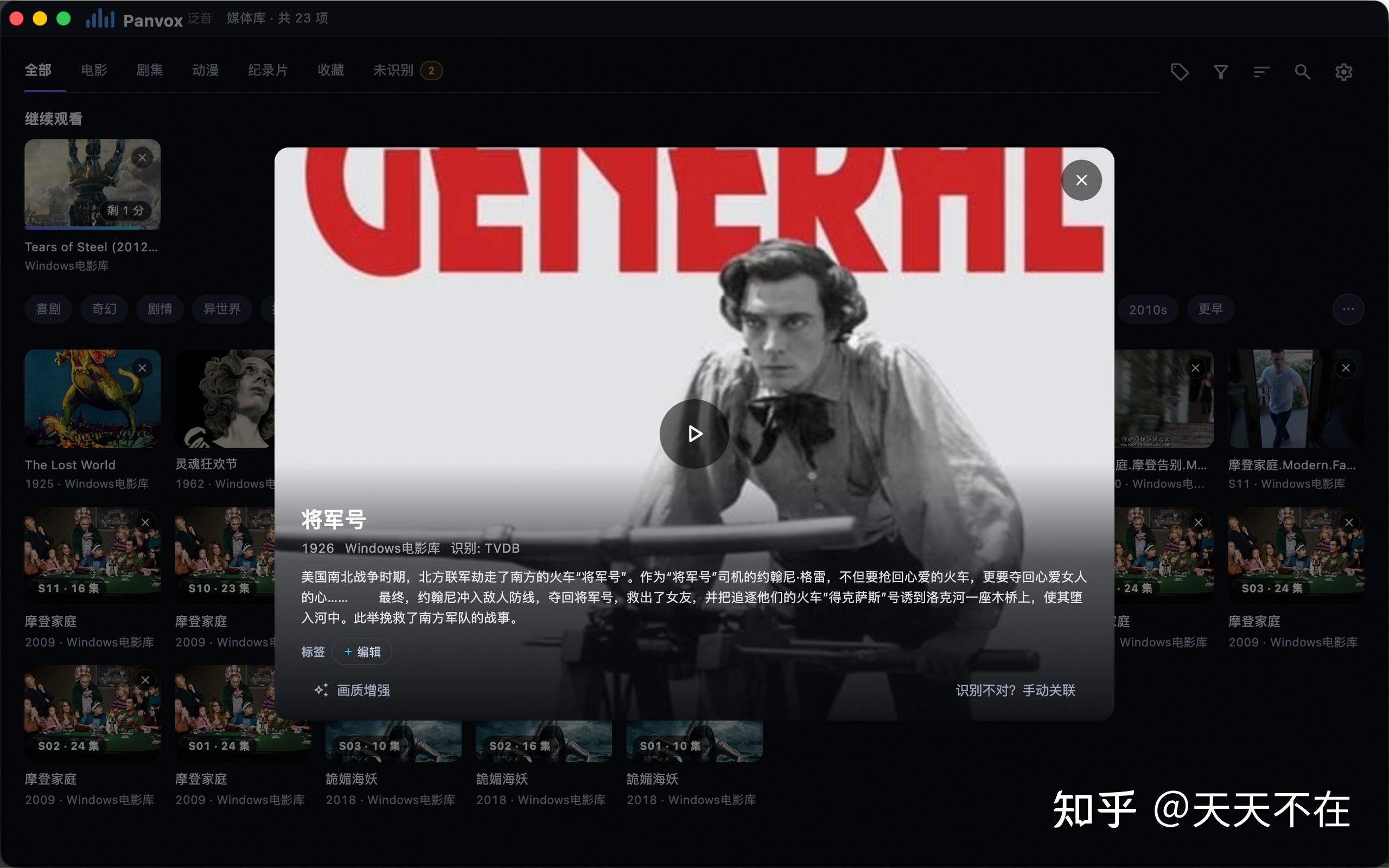
The library crowd: NAS, servers and the poster wall
Sources include local folders, SMB and WebDAV, and rtsp / rtmp / http live streams. If you run Jellyfin or Emby, sign in to the server directly: the library browses as it does there, watch progress is written back to the server, and Quick Connect lets you skip the password.
In the server case there is a choice: let the server transcode the original stream into a compatible format in real time, or have the server send the original and decode on the device. Panvox chose the latter — direct play, no transcoding. The cost of transcoding is structural: the server carries the real-time transcode load, the picture goes through an extra encode, and seeking waits for the transcode to catch up; direct play starts fast, seeking follows the finger, and you are playing the file itself. The premise is that the device can handle the formats, and that is what the engine's hardware path is for.
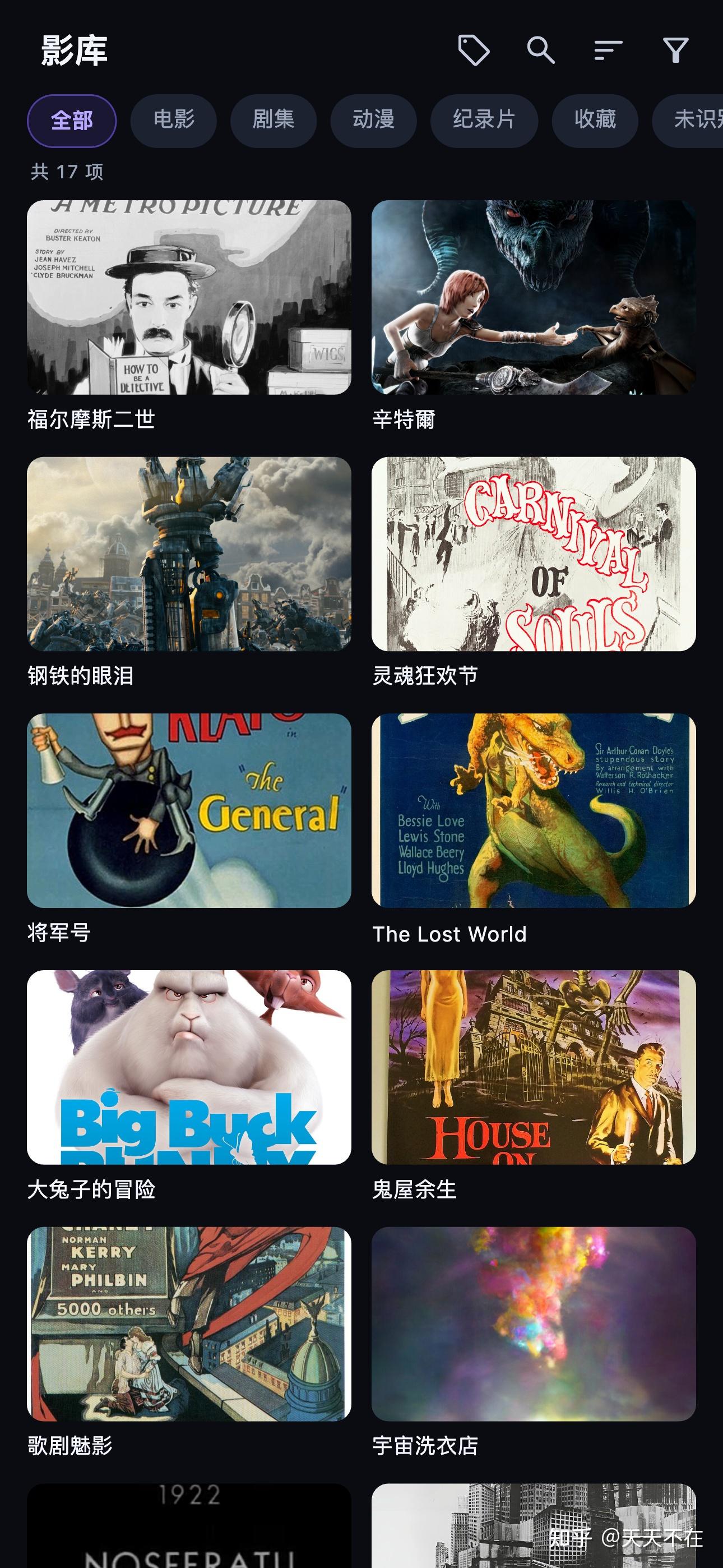
The poster wall identifies titles automatically through TVDB (which may not be reachable everywhere) and Bangumi, with no configuration; server metadata or manual matching also work. Episodes group by season (S01 · 24 episodes), and tag trees, category filters, continue-watching and full-library search are all there. Daily use is: open it, and the wall picks up where you left off. Credentials stay on the device; data goes straight to your own server.
Subtitles and AI
ASS effects subtitles and PGS bitmap subtitles render with their original styling and positioning — ASS font, colour, position and animation are layout instructions, and rendering them fully means not flattening them into plain text; PGS is a bitmap stream and is composited at its original coordinates. External SRT loads directly, and encoding problems that produce garbled text are repaired automatically. Details are in ASS/PGS/SRT across platforms: three render paths and four canvases.
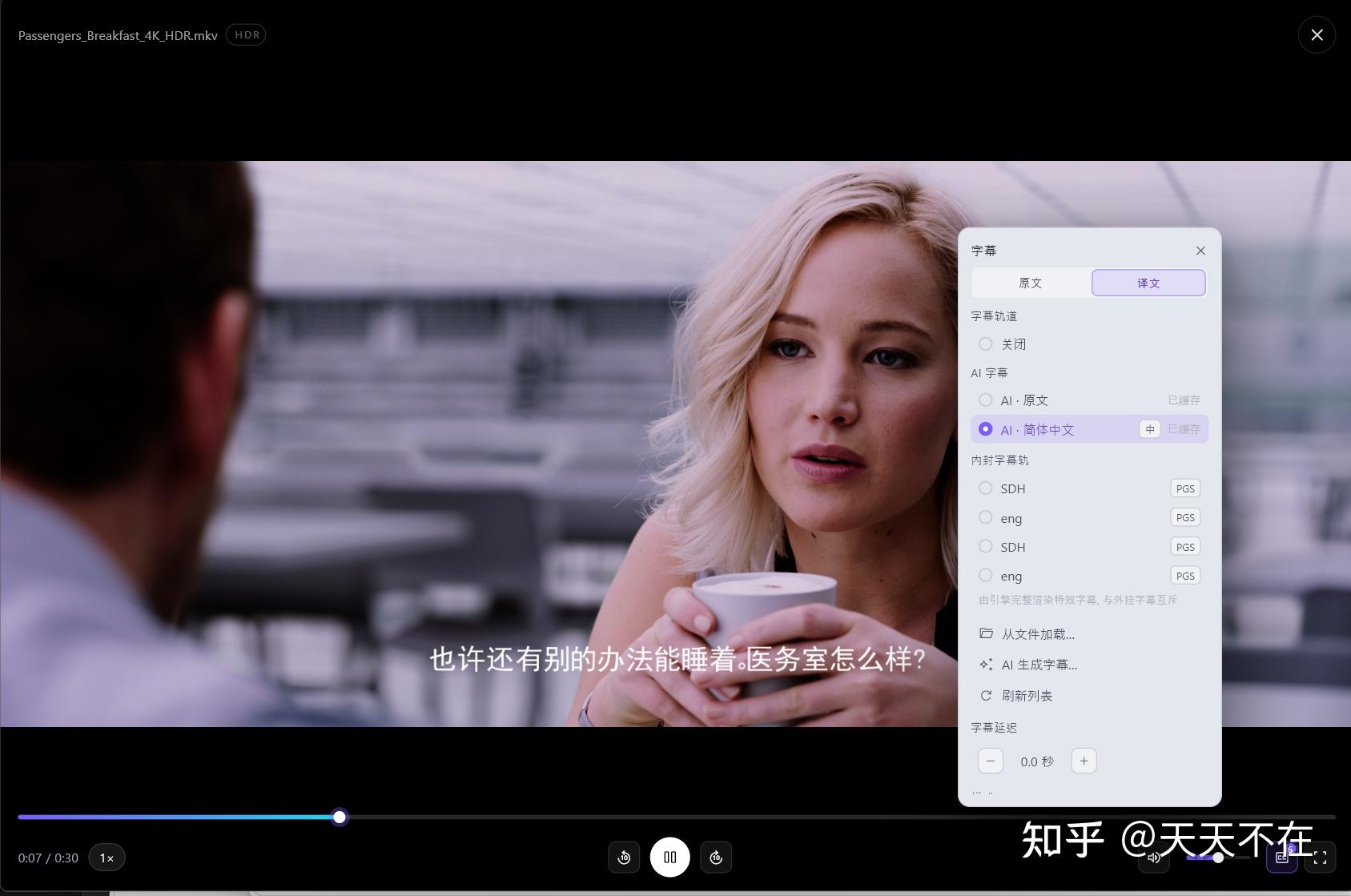
AI covers four things, with one clear boundary: what can be done on-device does not go online, and what must go online uses your own key.
- Subtitles. For a film without subtitles, speech recognition runs on-device and turns voices into subtitles in Chinese, Cantonese, English, Japanese and Korean; the audio never leaves the device. To translate into Chinese or 13 other languages, enter your own OpenAI-compatible key in settings — without a key you still get the original-language subtitles.
- Matching. Items the poster wall cannot identify are sent to AI in a batch; anything judged to be a film or series goes through TVDB / Bangumi to finish.
- Tagging. AI tags content by itself and extends the tag tree; manually added tags are never overwritten.
- Search. Describe what you want to watch in one sentence and AI finds it across the library.
The last three use the model key you configure, and the related content is sent only to the provider you configure. The core experience in its default state — playback, matching, on-device subtitles — closes the loop between the device and your own server; online AI is an optional addition, and where the data goes is decided by your key. AI results can be wrong; they are for reference and can be corrected by hand.
IPTV and the interface
IPTV is the other main scenario: import an m3u subscription and you get channel groups, favourites, an EPG and quality switching; sample channels are bundled so you can try it without a subscription.
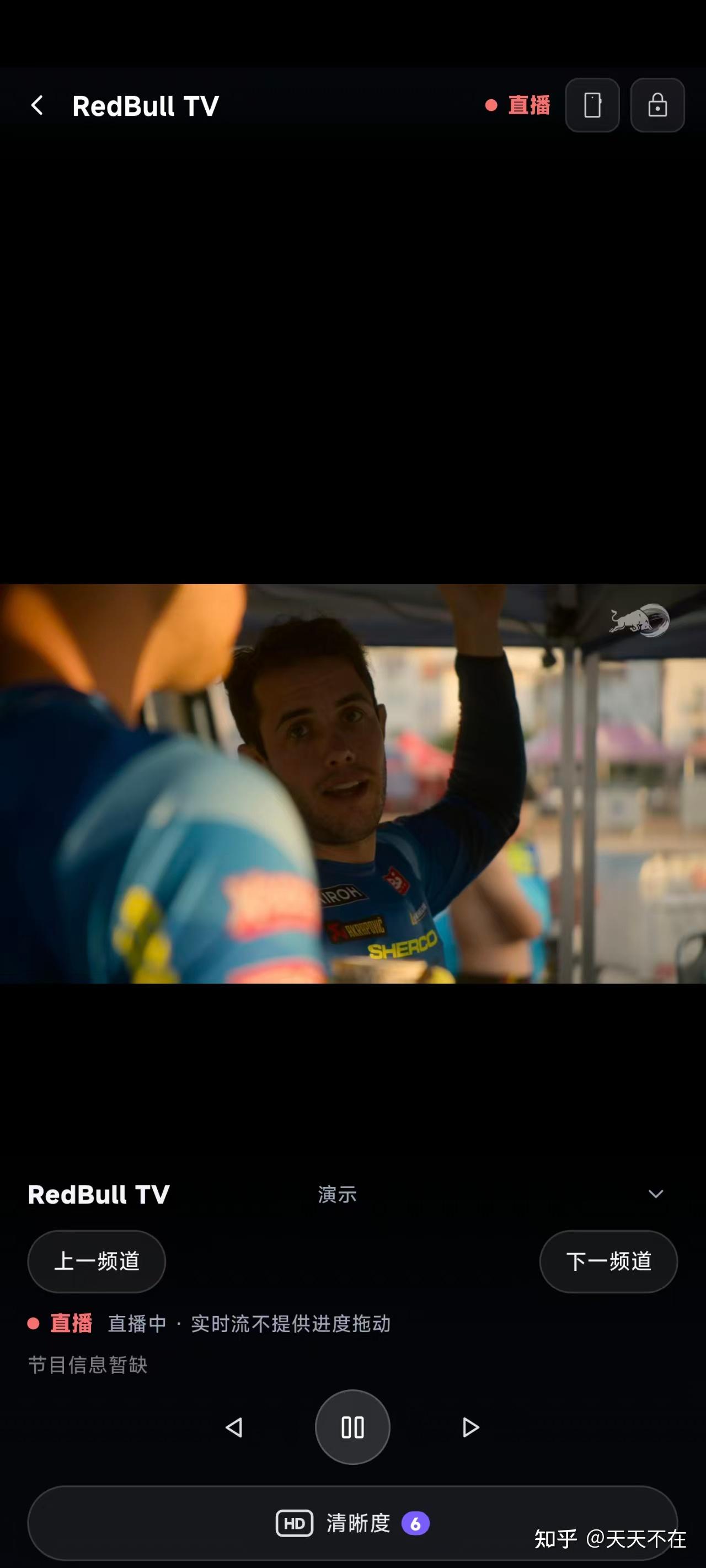
The interface has three forms: poster wall / file browser / bare player. The UI language follows the system across 14 languages; light and dark themes and an accent colour are selectable. On mobile there are gestures and a playback lock, speed presets from 0.25 to 64×, and audio and subtitle tracks switch at hand.