What to have ready before building
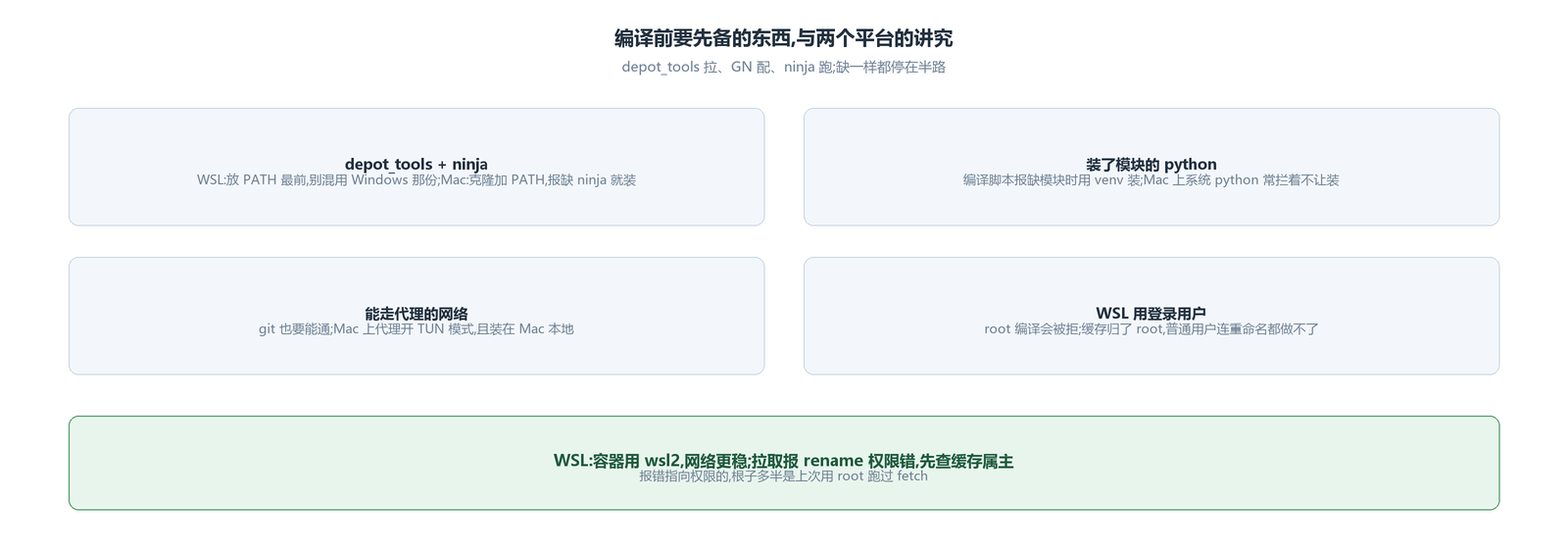
Four things: depot_tools, ninja, a python with the modules installed, and a network that can go through a proxy. Miss one and you stop halfway.
A few things on the WSL side were learned the hard way. Do not run fetch and gclient as root: building as root is refused outright, and once the cache directory belongs to root, a regular user cannot even rename it afterwards. Do not mix in the Windows copy of depot_tools — WSL pulls the whole Windows PATH in, so the Linux one has to go first in PATH, or the two sides get crossed. Use wsl2 for the container; it is convenient and stable on the network.
Mac is simpler: clone depot_tools and add it to PATH; when the build script reports a missing python module, the system often blocks installing it directly, so install the modules in a virtual environment; if it reports ninja missing, install it. The proxy has to be configured for git too, since fetching goes through git; run the proxy tool in TUN mode, and install it locally on the Mac — an installer downloaded elsewhere and copied over had problems after installation.
Fetching the code: fetch once, sync when it breaks
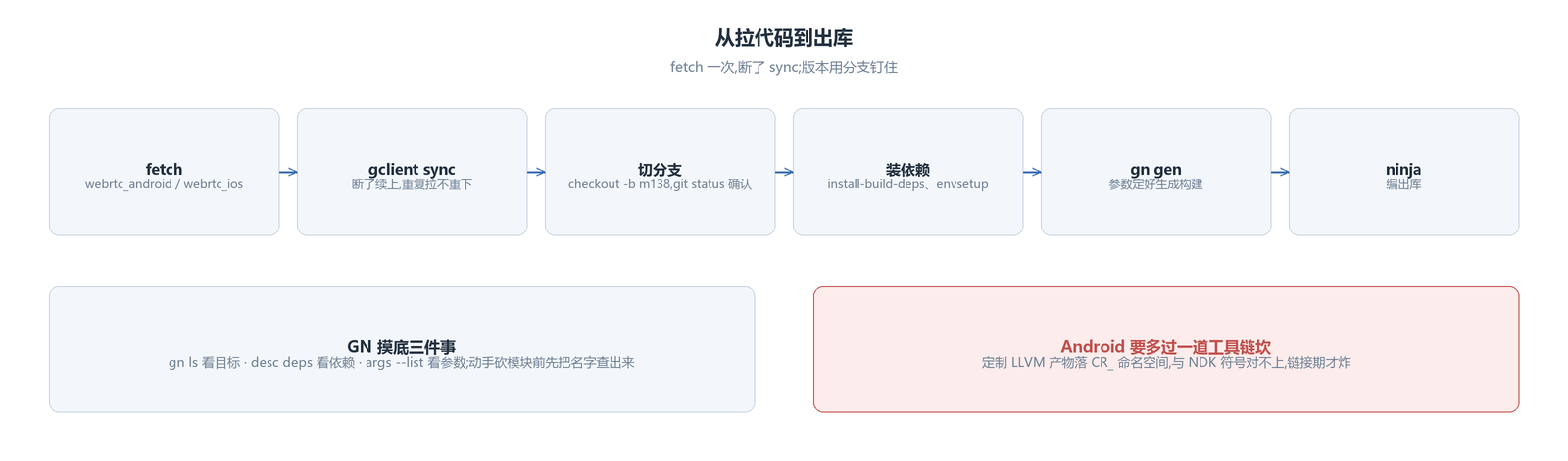
WSL uses fetch --nohooks webrtc_android, Mac uses fetch --nohooks webrtc_ios. If it breaks midway, gclient sync picks up where it left off; fetching again does not download anything twice. To get a specific version, switch branches, for example git checkout -b m138 branch-heads/7204, and after switching use git status to confirm it really switched — in WSL, going through the Windows proxy, the network is not very stable, and there were cases where the switch did not succeed and nobody noticed.
Installing dependencies takes two steps: change to the src directory and run ./build/install-build-deps.sh --arm and ./build/android/envsetup.sh; if libraries are still missing, add target_os in .gclient and sync once more. On Mac, pull third-party libraries with gclient sync -D.
The error you are most likely to hit during fetching is a rename permission failure when unpacking the cache directory. The cause is not mysterious: fetch was run once as root earlier, the cache belongs to root, and a regular user now has no permission to touch it. Change the owner back, or delete the cache and download again. If that really does not work, set the environment variable to skip the vpython check and fetch again; that is the last resort.
Scouting with GN
GN is used to configure the build; looking things up comes down to a few commands: gn ls shows the targets under a directory; gn desc ... deps shows what a target depends on, switch to all_deps for all of them; in the opposite direction, gn refs shows who depends on it; gn args --list lists every adjustable argument.
The use of these commands is to scout before touching anything: what a module is actually called, what it pulls in, and who compiles it. To cut something out or change a switch, you first have to look up the target name; otherwise you do not even know which line to change. The same goes for arguments: gn args --list lists the adjustable items together with their descriptions, and taking values from the descriptions is more reliable than digging through scattered posts online. The few argument sets used in this project — turning off the built-in H264, enabling the H265 protocol, iterator debugging in Debug — were all looked up one by one and settled this way.
The hurdle on Android is the STL namespace
Android's libwebrtc dependencies carry a customized LLVM toolchain, and every STL object it compiles lands in Chromium's dedicated CR_ namespace; your own code uses the NDK's standard namespace. The types look the same on both sides, but the symbol names are completely different, and it only blows up at link time.
Two ways out: compile your own code with its customized toolchain, or compile it with the standard NDK toolchain. The first was tried and produced a screen full of errors that could not be located; abandoned. The second worked on M138, and the two errors in the middle were actually one thread: without switching toolchains, the unwind library can only be the system one, and that is not on the default search path — with use_custom_libunwind on it reports _Unwind_Backtrace not found, with it off it reports libunwind.a not found. The fix is in WebRTC's src/build/config/compiler/BUILD.gn: explicitly add the path to the NDK's libunwind.a for Android arm64. The detail is that the aarch64 copy in NDK 26 works and the one in NDK 21 does not.
There is also a verified dead end: Android's WebRTC dynamic library carries no exported symbols — readelf shows it at once — so linking the dynamic library is a dead end; only static linking works.
A small SDK version pitfall on Mac
Building on Mac reports the float16 type as unsupported; the problem is not in the code but in the SDK version requirement: adding one line, mac_sdk_min="10.10", to the build script gets it through. The common thread in these pitfalls is that the error points at a type while the root cause is the environment; looking in the code will not find it.
Wiring it into the project: headers, libraries and matching arguments
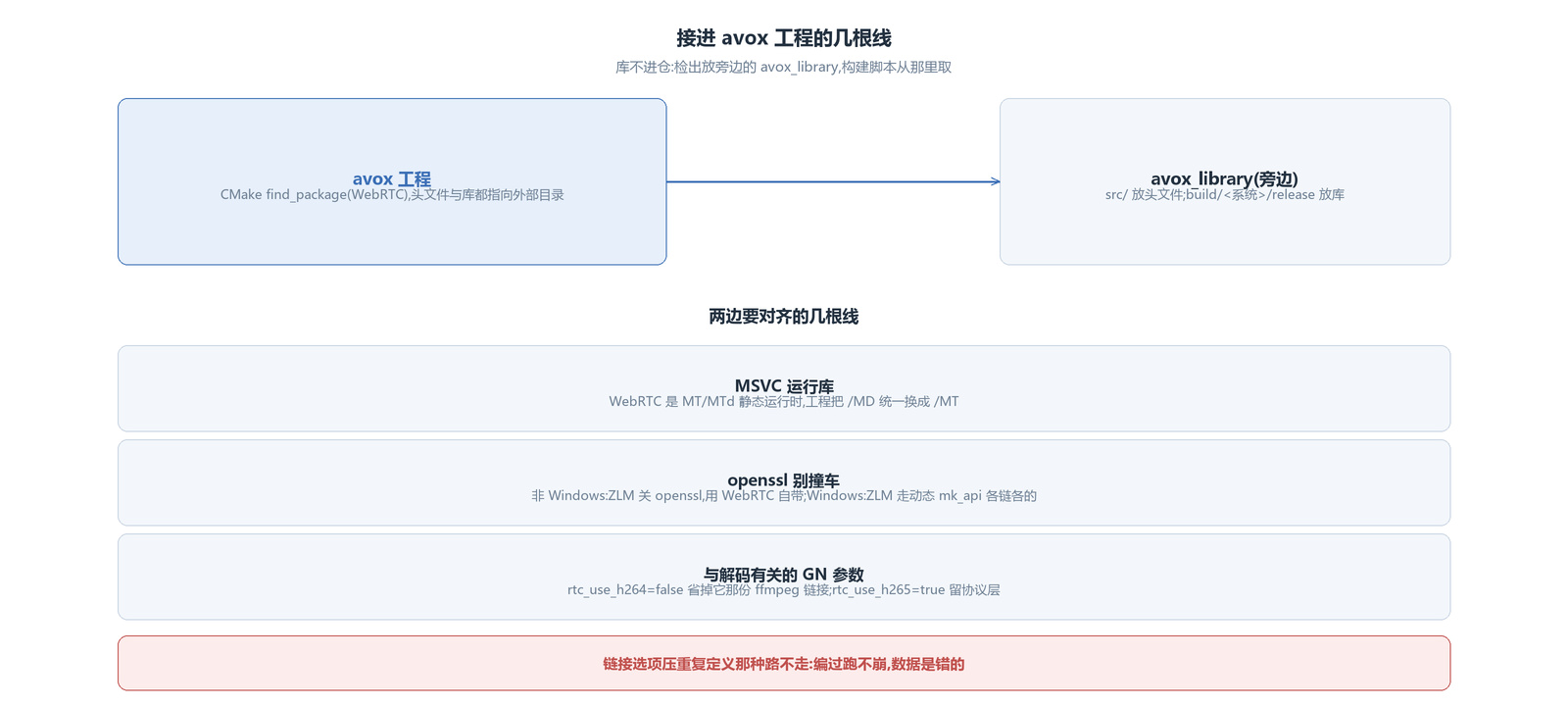
The WebRTC repository is too large to put inside the project, and the header include relationships are complex, so copying is not realistic. avox keeps the checkout in an avox_library directory next to the project, and the build scripts take things from there: headers point at its src, libraries point at the build directory it produces, and the GN arguments are generated against that directory. When looking up the built libraries by name, two variants can be seen, one with symbols and one without; the one without corresponds exactly to the Android form described above with no exported symbols, so you pick per platform when linking. When the version needs changing someday, just rebuild that checkout; the project side only knows the directory.
On Windows a few things have to line up. Runtime library: WebRTC's static link corresponds to MSVC's MT/MTd, so the project replaces every /MD with /MT in CMake; only then are both sides on the same runtime. Debug wants iterator debugging: WebRTC has it off by default, so turn on enable_iterator_debugging in GN; after turning it on, M138 does not compile again — one macro in protobuf's port_def.inc in its source has to be changed to get through.
openssl is where the two sides collide most easily. WebRTC carries its own BoringSSL, and when the project links another openssl the symbols collide; a linker option that suppresses duplicate definitions lets it compile and run without crashing, but the two modules each link different ffmpeg functions, and when forced to share, the data decoded is wrong — this kind of problem makes no sound at compile time and only blows up at runtime. So the linker option is not used. The current solution is per platform: the non-Windows build scripts turn off ZLMediaKit's openssl and let WebRTC use its own; on Windows ZLMediaKit goes through the dynamic library and links its own openssl separately, so the two sides are naturally separated, and the build configuration has another check that stops with an error if a static library brings out SSL symbols.
There is also a group of GN arguments related to decoding: turn rtc_use_h264 off and it no longer links ffmpeg; turn rtc_use_h265 on and the H265 protocol layer is kept. These arguments, along with the per-platform differences, all live in the project's own build scripts — one powershell script for Windows, one sh script for each of the other platforms; building WebRTC means running the corresponding script.
At this point the library is built and wired into the project, and the next few articles have something to talk about: how audio processing is attached, how decoding and rendering are taken over, how a two-way call is put together, and how sources and encoders push data out.
The avox engine is open source on GitHub: github.com/xxxzhou/avox, with the build scripts and wiring inside.